Construction Loan Operations Software

AI-driven project
financial intelligence.

BankBuild transforms how developers manage project financials using AI to connect budgets, documentation, and funding activity into predictive insight that protects margins and accelerates capital flow.

Two paths into BankBuild.

No matter if you’re just getting started in property development or have a pipeline of projects, we build to your portfolio size.

Starting your first project

BankBuild Starter.

For UK developers running their first or second project between £300k and £5m. Coaching-led setup, monthly founder calls, on-demand Slack support, lighter platform configuration.

Running an active portfolio

BankBuild Advanced.

For UK developers running 3+ active projects or facilities above £5m. Bespoke platform configuration. The full operating platform.

Capabilities

Manage real estate development projects with confidence.

From contract setup through lender reporting — each capability surfaces what needs your team's judgment and handles the rest.

Drawdown pack assembly: contractor applications, certificates and programme updates assembled into one pack

Drawdown Pack Assembly

The platform builds your drawdown pack as documents arrive — contractor applications, payment certificates, programme updates. Submit to your QS and lender in one click.

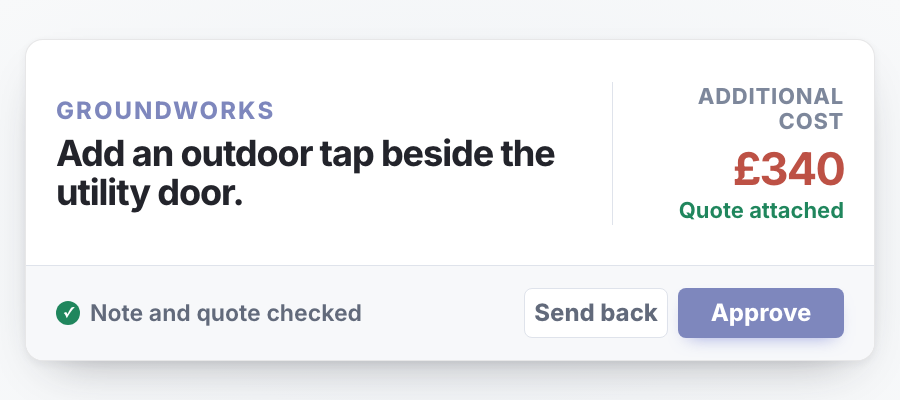
Payment approval workflow: contractor payments validated against contract terms and retention rules

Payment Approval & Release

Every contractor payment validated against contract terms and retention rules before it goes out. Centralised approval workflow, no surprises at month-end reconciliation.

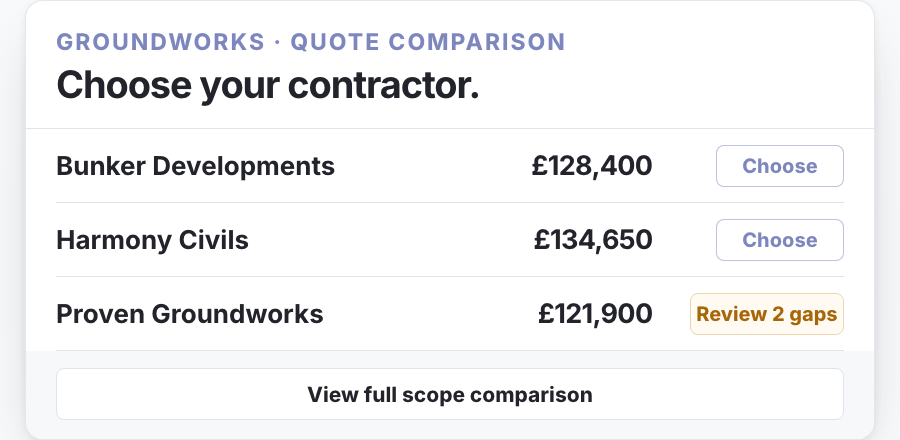
Variation and contract register showing contractor exposure against contingency

Variation & Contract Register

Every contractor contract, variation and change order in one place. Real exposure visible against contingency. Retention amounts and release dates tracked automatically.

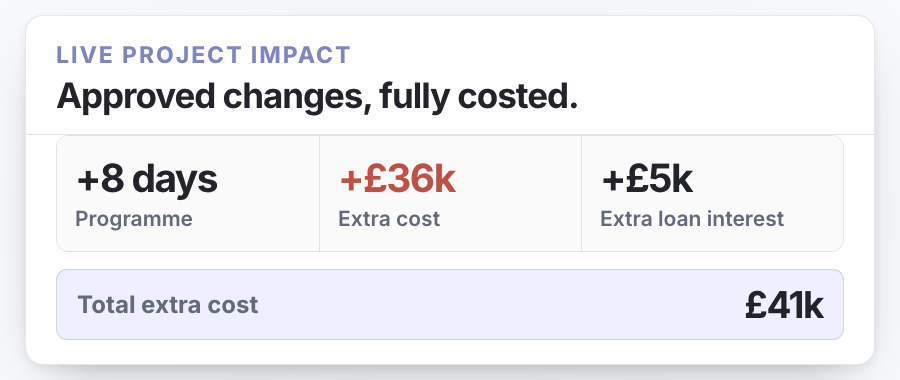
Programme and cashflow forecast with milestones, dependencies and capital deployment over time

Programme & Cashflow

Milestones, dependencies and key dates tracked against a live cashflow forecast. Programme slips reflect in capital deployment forecasts immediately — not next month.

Central document inbox: contractor documents arriving in a single sorted table with status

Central Document Inbox

Contractor documents land in one place. The platform routes each to the right project, drawdown and approval thread without manual sorting.

Construction site representing the project the facility terms govern

Facility Terms Engine

Your facility agreement parsed into structured rules — drawdown windows, covenants, conditions precedent. The platform enforces what your facility actually requires.

Replace your spreadsheet patchwork.

Most development teams run projects across a maze of Excel files — one for the budget, another for the drawdown log, a folder full of emailed contractor invoices.

BankBuild replaces the patchwork with one connected platform where every document, budget adjustment, and drawdown is in sync — automatically.

With Excel

  • Switch between files while tracking down documents
  • Manually split and name PDFs
  • Discover missing documents after a drawdown is rejected
  • Rebuild projections manually every time a line item changes
  • Assemble drawdown packs from scratch every time

With BankBuild

  • Every document lands in the right place. Preview, approve, and move on — without switching tabs.
  • PDFs split automatically by document type — just review and approve.
  • Missing items flagged before you submit, so nothing comes back rejected.
  • Budget adjustments update forecasts and cashflow projections automatically.
  • Drawdown packs build themselves as documents are approved — arrange and send.
Common questions

Frequently asked.

01What is construction finance software?
Construction finance software is a category of operating system that manages the financial lifecycle of property development schemes — drawdown requests, monitoring QS reports, contractor payments, and lender communication. It sits between three parties on every UK development loan: the developer who builds, the monitoring QS who inspects, and the lender who funds. Unlike accounting software (which records what's already happened) or project management software (which tracks build progress), construction finance software manages the active flow of money against verified build progress in real time.
02How does a development finance drawdown work in the UK?
A UK development finance drawdown is the release of a tranche of the agreed loan facility against verified build progress, typically every 4–6 weeks. The developer submits a drawdown request with contractor applications for payment, supporting invoices, and certificates to their monitoring QS, who inspects the site, validates costs against the cost plan, and issues a drawdown report to the lender. The lender then releases funds — usually 7–14 days from the original request, though delays of 2–4 weeks are common on first drawdowns or contested valuations.
03What does a monitoring QS do on a UK development scheme?
A monitoring QS (also called a Project Monitor or Independent Monitoring Surveyor) is appointed by the lender at the developer's cost to verify build progress, validate drawdown requests, and protect the lender's loan security. They issue an initial appraisal report at the start of the scheme covering cost plan, programme, contractor capability, and key risks, then a monitoring report at each drawdown stage. The role is regulated by RICS, and from 9 March 2026 monitoring QS firms must comply with the RICS mandatory AI standard when using AI in any part of their work.
04How long does a monitoring QS take to issue a drawdown report?
A monitoring QS typically issues a drawdown report 5–10 working days after a site visit, depending on scheme complexity, documentation quality, and the QS firm's workload. The bottleneck is usually documentation chase — incomplete contractor applications, missing invoices, or unrecorded variations add days to every cycle. Developers using a structured submission workflow rather than email and PDF regularly compress this to 3–5 working days.
05What documents does a monitoring QS need for a UK development drawdown?
A monitoring QS typically requires five documents per drawdown: contractor applications for payment, supporting invoices and receipts, a current cost plan with variations logged, photographs of completed work, and any updated programme. First drawdowns add the facility agreement, planning conditions, building control sign-offs, and contractor warranties. Missing any of these is the single most common cause of drawdown delays on UK schemes.
06How does BankBuild compare to Procore for UK property developers?
BankBuild and Procore solve different problems on a UK development scheme. Procore is a general construction management platform built for main contractors and large project teams, focused on RFIs, drawings, submittals, and field operations. BankBuild is a construction finance operating system for the developer side of the table — drawdowns, monitoring QS coordination, lender reporting, cost-to-complete tracking — and is purpose-built around the UK monitoring QS workflow rather than US construction management.
07Is BankBuild a CRM for property developers?
BankBuild includes contact and relationship features (lenders, monitoring QS, contractors) but its primary function is operational — managing the active flow of drawdowns, reports, and payments on live schemes. Developers running multiple schemes typically pair BankBuild with a lightweight CRM such as HubSpot or Pipedrive for lead and pipeline tracking, or use BankBuild's contact features alongside existing spreadsheets. A standalone CRM is the wrong tool for what BankBuild does.
08BankBuild vs running a development on Excel — what changes?
Most UK developers run their first 2–3 schemes on Excel, Microsoft Project, and email — and many do it well. BankBuild replaces the three things that break at scale: the cost-plan spreadsheet that becomes uneditable past scheme 3, the drawdown email thread that loses contractor variations, and the WhatsApp updates that don't survive a lender audit. The decision point is usually around the 3rd or 4th active scheme, when the spreadsheet stops being faster than the platform.
09Who owns the data on BankBuild?
The developer owns all data they upload to BankBuild — cost plans, contractor applications, drawdown records, monitoring reports, contacts. BankBuild stores it in UK-resident cloud infrastructure, encrypted at rest and in transit, and never uses customer data to train AI models or share with other customers. Developers can export their full data set as structured files (CSV, JSON, PDF) at any time without notice or fee.
10Does BankBuild replace my monitoring QS?
No — BankBuild is not a substitute for a monitoring QS, and no software can be under RICS regulation. The monitoring QS provides independent professional verification that the lender requires for drawdown release; that role is regulated and requires a qualified human signatory. BankBuild gives developers and their monitoring QS a shared workspace for the drawdown cycle, removing the email-and-PDF friction without changing who carries the professional liability.

Talk to us.

Tell us about your firm and what you’re trying to solve. Laura will reply personally, usually within a working day.

Or email Laura directly: [email protected]

By submitting, you agree to a brief follow-up by email. No mailing list. No marketing automation.

Thanks — message received. Laura will reply personally, usually within a working day. Reach out to [email protected] if you need to follow up sooner.
Laura, Founder & CEO of BankBuild
Behind the platform

Built for the borrower.

WhatsApp threads, drawdown documentation chased over email and missed calls — these aren’t admin friction. They’re capital sitting idle, margins eroding, and projects slipping.

In a market where margins are thin and speed is everything, the developers who scale are the ones operating on infrastructure their competitors don’t have. Not just a bigger team.